Why Your Intercom and HubSpot Integration Keeps Breaking (And What to Do About It)

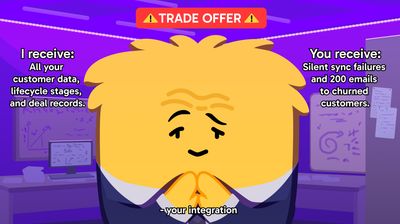
Intercom and HubSpot integration is supposed to be the easy part. Connect the two platforms, sync your contacts, let data flow. The setup wizard takes twenty minutes. The documentation is clear. And then, quietly, things start going wrong.
Your Intercom and HubSpot integration probably isn't working the way you think it is. Most teams don't discover the problem from a dashboard alert or an error log. They discover it when a sales rep calls a customer who cancelled three weeks ago. Or when a personalised email campaign goes out with the wrong company name. Or when pipeline numbers look inexplicably inflated and nobody can explain why. The integration failed silently. Which is worse.

TLDR: Your Intercom and HubSpot integration breaks in four specific ways: schema drift, inbound mapping errors, duplicate contact sprawl, and API inconsistency. Each fails silently. The compounding damage hits your segments, your pipeline accuracy, and your team's credibility. Fixing the integration helps temporarily, but the architecture is inherently fragile. The alternative gaining traction in 2026 is platform-agnostic AI that bypasses the sync entirely by working from your source data directly.
The Integration That Looks Simple on Paper#
Here's the pitch. Intercom handles your customer conversations. HubSpot handles your CRM. Connect them, and your support team sees sales context while your sales team sees support history. Clean data flows in both directions. Everyone wins.
In practice, this works for about three months. Then someone on the marketing team renames a custom property in HubSpot. Or a developer changes a field type in Intercom. Or a bulk import creates 400 duplicate contacts that silently propagate through every automated workflow you've built. (If you're already questioning what you're actually paying Intercom for at this point, you're in good company.)
The integration itself is usually built fine. Integrations between complex systems are just inherently fragile. Intercom and HubSpot both ship updates constantly. Both allow teams to modify data schemas without coordinating with the other system. Both assume they're the source of truth. When two systems both think they're right, the data in the middle gets caught in the crossfire.
And the people who feel this most? Mid-market CX leaders. The ones running teams of 10 to 50, managing a stack they inherited, spending their Mondays manually cleaning CRM records after weekend Intercom interactions instead of doing the strategic work their job description actually describes.
If that sounds familiar, keep reading. If it doesn't, you're either very lucky or you haven't noticed the problem yet.
Four Ways Your Integration Breaks (Silently)#
Four distinct failure types keep surfacing across practitioner communities and industry reporting. Each has a specific technical mechanism and a specific business consequence. Understanding which one you're dealing with changes what you do about it.
1. Schema Drift#
This is the quiet one. Someone on your team modifies a data field upstream. Maybe they rename "Company Size" to "Employee Count" in HubSpot, or change a dropdown field to free text in Intercom. The integration doesn't throw an error. It just starts mapping data to the wrong place, or stops mapping it entirely.
What follows is silent segmentation errors. Your personalisation efforts start targeting the wrong user data. A lifecycle email campaign goes out to churned customers. A product-led growth sequence triggers for enterprise accounts that should be getting white-glove treatment. You won't know it's broken until something visibly misfires, and by that point the damage has been compounding for weeks.
Schema drift is particularly nasty because both systems continue to function normally in isolation. HubSpot looks fine. Intercom looks fine. The rot is in the space between them. According to CMSWire's reporting on integration failures, these silent breakdowns rarely trigger alarms but can undermine segmentation accuracy and campaign performance across the board.
2. Inbound Mapping Errors#
This one's more mechanical. Field mapping between Intercom and HubSpot (or Salesforce, for that matter) goes inconsistent. A "lifecycle stage" field in one system doesn't map cleanly to the equivalent in the other. A custom property gets created in one platform but never mirrored.
The fallout: missing lead data, outdated account histories, support agents working from incomplete context. Your sales team sees a customer who hasn't been active in six months. In reality, that customer had five support conversations last week; they just happened in Intercom, and the data didn't make it across.
This is the failure type that erodes trust between departments. Sales blames support for not logging interactions. Support blames the CRM for showing stale data. Nobody blames the integration, because nobody's checking the integration.
3. Duplicate Contact Sprawl#
You know this one. Disconnection/reconnection cycles between systems, or mismatched identifiers (email in one system, user ID in the other), create duplicate contacts. One customer becomes two records. Sometimes three.
The business cost compounds fast. Pipeline reporting inflates because the same opportunity shows up twice. Customers receive the same outreach email multiple times. Support agents ask customers to repeat information they've already provided. It's the kind of problem that makes your team look unprofessional and your data look unreliable.
One practitioner on Reddit described spending an entire Friday each month on duplicate remediation. Not because they wanted to. Because if they didn't, the pipeline numbers they reported to leadership the following Monday would be fiction.
An operational tax, plain and simple.
4. API Inconsistency#
This is the architectural one. Intercom and HubSpot interpret the same signals differently. A "contact updated" event in one system doesn't carry the same semantic weight in the other. Timestamps drift. Conflict resolution rules disagree about which record wins.
The impact here is subtle but serious: compliance risks, eroding customer trust through conflicting messages. The sales team sends a renewal offer based on HubSpot data while the support team, working from Intercom data, is processing a cancellation request. The left hand doesn't know what the right hand said. And the customer notices.
The Compounding Cost#
These four failures don't stay in their lanes. They compound. Schema drift feeds inbound mapping errors. Mapping errors create duplicates. Duplicates generate API conflicts. And the whole mess ripples through wasted media spend (targeting wrong segments), high agent effort (manual data cleanup every week), and eroding customer trust (conflicting messages from different channels).
| Failure type | How it breaks | What it costs you |
|---|---|---|
| Schema drift | Upstream field changes silently break mappings | Wrong segments, misfired campaigns |
| Inbound mapping errors | Fields don't translate cleanly between systems | Incomplete customer context, stale data |
| Duplicate contact sprawl | Mismatched identifiers create multiple records | Inflated pipeline, repeated outreach |
| API inconsistency | Systems interpret the same events differently | Conflicting messages, compliance risk |
As Liz Miller at Constellation Research described in a CX Today interview, "the data drought we've been warning everybody about has actually accelerated because AI is a voracious eater of data." Your integration problems are the bottleneck that will prevent you from benefiting from AI at all. If your KPIs already feel unreliable, a broken sync underneath is often the reason.
Why "Just Fix the Integration" Doesn't Work#
The instinct, reasonably, is to fix the integration. Tighten the field mappings. Set up validation rules. Run a deduplication script. Schedule monthly data audits.
This helps. Temporarily. Until the next schema change, the next API update, the next bulk import that someone runs without telling the ops team.
There's a concept in API design called "contract-first" architecture. The idea is that you define the data contract between systems before building the integration. Every field, every format, every validation rule gets agreed upfront. Upstream changes can't silently break downstream consumers because the contract catches them.
It's a sound principle. The problem is that you don't control the contract between Intercom and HubSpot. Both platforms ship changes on their own roadmap, on their own timeline. You're the one left holding the integration together with duct tape and spreadsheets.
So the question isn't really "how do I fix my Intercom-HubSpot integration?" The question is: "should I keep depending on it?"
The Platform-Agnostic Alternative#
The market in 2026 is moving toward something different. Platform-agnostic AI. The idea is straightforward: instead of forcing all your data through fragile integration layers between platforms, you deploy AI that operates independently of any specific platform.
Think of it as lifting the AI layer above the stack rather than wedging it between the tools.
Microsoft's Copilot works this way for productivity software. You don't need to replace Outlook to use it. It layers on top. The same principle is showing up in customer service. AI that doesn't require your CRM and your helpdesk to be perfectly synchronised, because it doesn't depend on that synchronisation in the first place.
This trend is already shipping in production. And it's a direct response to the exact integration pain described in this piece.

How Hay.chat Bypasses the Problem#
Hay.chat takes this principle and applies it specifically to customer service automation.
Instead of sitting between Intercom and HubSpot (adding another integration layer that can drift), Hay.chat syncs directly with your source data. Help centre URLs. PDFs. CSVs. The actual documents where your product knowledge lives. It doesn't need Intercom and HubSpot to agree on what a "contact" looks like, because it's working from the source material directly.
Think of it as a master orchestrator. Hay.chat doesn't replace your CRM or your helpdesk. It sits above them and provides a unified AI layer that doesn't depend on those systems talking to each other correctly. If your Intercom-HubSpot sync breaks (and it will), Hay.chat still works because it was never depending on that sync.
A few specifics that matter for the ops audience reading this:
310+ actions across 12 integrations. Hay.chat executes actions: processing refunds, updating orders, modifying subscriptions. The depth of integration matters more than the breadth of connection when you're trying to actually resolve customer issues rather than just answer questions about them.
Plain-English playbooks. You describe what you want the AI to do in plain English. No code. No workflow builder with 47 branching conditions. If your current integration debugging involves crawling through Zapier logs and custom middleware, the simplicity is intentional.
No rip-and-replace required. You don't have to choose between Intercom and Hay.chat, or HubSpot and Hay.chat. Hay.chat layers on top of your existing stack. Keep using what you're using. Add the AI layer that doesn't break when your integration does.
What This Means for Your Monday Morning#
If you're the person who starts each week reconciling CRM data, deduplicating contacts, or investigating why a campaign went to the wrong segment, you already know the integration isn't working.
Here's the honest picture. You've been through this before: it's 8:47am, you haven't finished your coffee, and you're staring at a HubSpot export trying to figure out why 200 contacts got tagged "enterprise" overnight. The Intercom webhook fired, something mapped wrong, and now your SDR team is about to send enterprise pricing to solo founders. You fix it. Again. By hand.
The question is what to do about it. And there are really only three options.
Option one: keep fixing it. Tighten mappings, run dedup scripts, schedule audits. This works if you have the time and the tolerance for ongoing maintenance. Some teams do. No judgement.
Option two: invest in contract-first architecture. If you have engineering resources and executive buy-in, building proper data contracts between your systems reduces drift. It's the "right" solution in theory. It's also expensive and slow, and it requires cooperation between platform vendors who have no incentive to cooperate.
Option three: bypass it. Deploy AI that doesn't depend on the integration working. Point it at your source data directly. Let it resolve customer issues without needing Intercom and HubSpot to agree on anything.
The third option won't suit everyone. If your integration works well and your data is clean, you don't need it. But if you're spending real hours each week on data hygiene that a broken sync created, it's worth stepping back and asking whether the problem is your process or the architecture underneath it.
Hay.chat starts at €135/month for 2,000 resolutions. No per-seat fees, no annual lock-in. See pricing and start a free trial →
Ask AI about this page
