Open Source Helpdesk Software in 2026: Hosted, Self-Hosted and On-Premise Options Compared

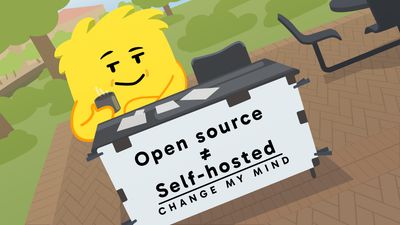
Open source helpdesk software is the easy part of the decision. The hard part is who runs it: the vendor (hosted), you on a rented server (self-hosted), or you on hardware in your own building (on-premise). Every project below is free to download. They differ in how much work they hand back to you, and in what you pay when you'd rather not do that work.
Updated 20 October 2026: rewritten as a comparison of six open source helpdesks, with hosted prices, on-premise and Windows options checked on each vendor's own site.
Open Source Helpdesk Software Compared (October 2026)#
Six open source helpdesks, plus Hay.chat for reference. "Hosted" here means a plan where the vendor (or a named partner) runs the servers for you.
| Tool | Licence | Hosted option (who runs it) | Hosted price | Self-host and Windows | AI |
|---|---|---|---|---|---|
| Chatwoot | MIT (core) | Chatwoot Cloud | $19 (free for 2 agents, chat only) | Linux, Docker, Kubernetes. Windows not documented | Captain, paid plans only |
| Zammad | AGPL-3.0 | Zammad hosting | €7 (annual, up to 5 agents) | Linux packages, Docker, Kubernetes. Windows not documented | Optional, €0.03 per AI call |
| osTicket | GPL-2.0 | SupportSystem | $12 | Apache, LiteSpeed or IIS. Windows Server documented | None listed |
| FreeScout | AGPL-3.0 | Third-party hosts only | Set by the host | PHP and MySQL, even shared hosting. Windows possible, no guide | Free AI module |
| UVdesk | OSL-3.0 | UVdesk paid plans | $8 (annual, 2-agent minimum) | Ubuntu or Windows via WAMP/XAMPP, Docker | AI chatbot sold separately |
| Helpy | MIT | Helpy Pro (SaaS or marketplace image) | Not verifiable | Docker. No release since 2020 | Chatbot in Pro only |
| Hay.chat | Hay Community License (source-available) | Hay.chat, data stored in the EU | €50 a month flat, no per-agent fee | Docker and Node.js. Windows not documented | Built in: answers and takes actions |
Three of the six (Chatwoot, Zammad, UVdesk) are open-core businesses: the code is free, and the company sells hosting, support and the premium features on top. I think that's healthy. It's how these projects pay their developers, and it means you can buy hosting from the people who write the code.
AI is mostly an add-on. Where it exists, it summarises tickets and suggests replies, and none of these tools refunds an order or changes a shipping address on its own.
What Hosted Helpdesk Software Actually Means#
"Hosted" gets used loosely. Strictly, it means the software runs on servers someone else manages, and you reach it in a browser. With open source helpdesk software that someone can be the vendor, a hosting company, or you on a rented server you look after yourself. The licence is identical in all three cases. What changes is who does the work.
| Vendor-hosted | Self-hosted on a cloud server | On-premise | |
|---|---|---|---|
| Who runs the servers | The vendor | Your cloud provider runs the hardware; you run everything on it | You, on your own hardware |
| Updates and security patches | The vendor | You | You |
| Backups and restores | The vendor | You | You |
| Where the data lives | Wherever the vendor hosts (ask) | The region you pick | Your building |
| What you pay for | A subscription, usually per agent | The server plus your team's time | Hardware, power, and your team's time |
So when someone searches for hosted helpdesk software, they're usually asking one of two things. Either "which helpdesk can I just log into?", in which case the vendor-hosted column is the answer and the licence barely matters. Or "which open source helpdesk will someone run for me?", which is a narrower list: Zammad, Chatwoot and osTicket (via SupportSystem) sell exactly that, UVdesk sells its own paid plans, and FreeScout leaves it to third-party hosts.
The appeal of hosted open source is the exit. If the vendor raises prices or gets acquired, you can take the same code and run it yourself, with your data. That's a real advantage over a closed SaaS helpdesk, and it's the one I'd weigh most.
The Six Open Source Helpdesks, One by One#
Chatwoot#
Chatwoot is a shared inbox more than a classic ticketing system: live chat, email, WhatsApp and social channels in one place, with a modern interface. The core is MIT-licensed (an enterprise/ folder carries its own licence), and the project is busy. Version 4.19.0 shipped on 20 October 2026.
Self-hosting the Community Edition is free. Chatwoot documents a Linux install script for Ubuntu 20.04 or later, Docker, Kubernetes and one-click images on AWS, Azure, DigitalOcean, Google Cloud and Heroku, with a minimum of 2 CPU cores and 4 GB of RAM. Chatwoot Cloud is free for up to 2 agents on live chat only, then $19, $39 or $99 per agent a month.
The catch is AI. Captain, Chatwoot's AI, is "not included in Community Edition". You get it on the paid cloud plans (300 to 800 credits a month) or on self-hosted Premium Support at $19 per agent. We go through how it stacks up against Hay.chat in our Chatwoot comparison.
Zammad#
Zammad is the most complete classic ticketing system here, and the heaviest to run. AGPL-3.0, actively developed, with official packages for CentOS/RHEL, Debian, openSUSE and Ubuntu, plus Docker Compose and Kubernetes for everything else.
Plan for the hardware. Zammad's own docs give a minimal deployment as 2 CPU cores and 6 GB of RAM, plus another 4 GB if Elasticsearch runs on the same server. Elasticsearch is "optional, but strongly recommended" because reports and attachment search depend on it. So call it 10 GB for a small, comfortable install.
Hosted Zammad is cheap for small teams: €7 per agent a month on Starter (up to 5 agents), €16 on Professional (up to 35), €25 on Plus, billed annually and excluding VAT. AI features are optional on Professional and Plus and cost €0.03 per AI call. If you self-host and want a support contract, those start at €2,999 a year.
osTicket#
osTicket has been around forever and it shows... in a good way. It's stable and runs almost anywhere PHP does. GPL-2.0, with v1.18.4 released in June 2026.
It's the friendliest of the six for a Windows shop. The install docs list Apache, LiteSpeed or IIS as supported web servers and include a "Windows recommended links" section for PHP and MySQL on Windows Server. Requirements are modest: PHP 8.2 to 8.4 and MySQL 5.5 or later.
The hosted version is called SupportSystem: $12, $16 or $24 per agent a month, no commitment, 30-day free trial. None of the plans lists AI features. If your needs are email tickets, assignment and basic SLAs, osTicket does the job with the least fuss.
FreeScout#
FreeScout is a Help Scout-style shared inbox written in PHP (Laravel), AGPL-3.0, and very actively maintained (release 1.8.248 on 17 October 2026). It's the lightest thing here: the project says it "can be easily deployed even on a shared hosting", which is unusual for a helpdesk.
But FreeScout doesn't sell hosting. Its own wiki says it "is not provided as a common Cloud Hosted service" and points to third-party one-click hosts instead, so the hosted price depends on who you pick. The core is free and features like a knowledge base or API arrive as modules, some paid. There's a free AI Integration Module on the module directory.
UVdesk#
UVdesk is Webkul's open source helpdesk, PHP-based and OSL-3.0 licensed. The open source edition is free with unlimited agents.
It's the only project in this comparison whose README names Windows as a supported OS: "Ubuntu 16.04 LTS or higher / Windows 7 or Higher (WAMP / XAMPP)", with 4 GB of RAM and PHP 8.1. There's a Docker setup too.
UVdesk's paid plans cost $8 per agent a month billed annually ($11 monthly) or $15 ($18 monthly) for the larger tier, with a 2-agent minimum and a 30-day trial. Webkul, UVdesk's maker, sells an AI chatbot separately. The pricing page doesn't tie it to any plan.
Helpy#
Helpy still turns up in roundups, so it's here... but be careful. It's MIT-licensed Ruby on Rails, open-core, with a Pro version that includes an AI support chatbot. The last activity to the public repository was in March 2023 and the last release (2.8.0) was in February 2020. When we tried the pricing page on 20 October 2026, the site's security certificate had expired. I wouldn't start a new deployment on it.
A few others turn up in roundups and aren't in the table: Faveo (OSL-3.0, active, but its pricing page shows unlabelled discounted prices we couldn't pin down), and GLPI, Request Tracker and OTOBO, which are IT service management tools rather than customer support helpdesks.
On-Premise Helpdesk Software: When It Has to Run on Your Own Servers#

Every tool above can run on-premise, because every one of them can be self-hosted. On-premise just means the "server" in the self-hosted column is a machine you own, in a building you control.
Teams do this for a short list of reasons: a contract or regulator says customer data can't leave the building, the network is air-gapped, or IT already runs a server room and one more VM costs nothing. If none of those is you, on-premise is self-hosting with extra chores (hardware, power, physical access) and no extra benefit.
If it is you, the practical picks split by stack. A Linux shop with spare capacity can run Zammad properly, Elasticsearch and all. A team with a Windows Server estate and an IIS admin will find osTicket the least friction. And if the constraint is "small team, one modest VM", FreeScout is the one that won't argue.
Open Source Helpdesk Software for Windows#
Most open source helpdesk software is written for Linux. Only a few projects document a Windows route at all.
| Tool | Windows route | What that means in practice |
|---|---|---|
| UVdesk | Named in the README: Windows 7 or higher with WAMP or XAMPP | The only one that lists Windows as supported |
| osTicket | IIS supported; docs link PHP and MySQL builds for Windows Server | Good fit for an existing Windows Server and IIS setup |
| FreeScout | IIS section in the install guide; "some people managed to install FreeScout on Windows" | Possible, unsupported, no tutorial |
| Chatwoot, Zammad, Helpy, Hay.chat | Not documented | Docker Desktop or WSL2 on a Windows machine, which is really Linux underneath |
Be careful with that last row. Docker Desktop and WSL2 both run a Linux virtual machine on Windows, so they're fine for trying a tool out on a laptop. For production, I'd put these on a Linux VM anyway, because Linux is what their docs are written for. If the real requirement is "our IT team only manages Windows", pick osTicket or UVdesk, or pick a hosted plan and skip the question.
What Self-Hosting Costs Once the Licence Is Free#
The licence fee is zero for all six. What you pay is a server and someone's time. The server part is easy to estimate from the vendors' own minimums:
| Tool | CPU cores | RAM | Notes |
|---|---|---|---|
| Zammad | 2 | 6 GB (10 GB with Elasticsearch) | Elasticsearch strongly recommended |
| Chatwoot | 2 | 4 GB | Plus 20 GB SSD |
| UVdesk | Not stated | 4 GB | 1 GHz processor or better |
| osTicket, FreeScout | Not stated | Not stated | Standard PHP and MySQL hosting |
The time is the part people underestimate. Updates, security patches, backups you've actually tested, and the occasional evening when the search index eats all the memory. A worked example, then. The assumptions are mine, so swap in your own numbers.
Say a 3-agent team self-hosts Zammad and it takes 2 hours a month of an engineer's time to keep it patched and backed up. If an hour of that engineer costs the business €60, that's €120 a month before the server bill. Zammad's own hosted Starter plan for the same 3 agents costs €21 a month on annual billing. At that size, self-hosting to save money doesn't add up.
Flip it to a 30-agent team with a DevOps engineer who already runs Linux servers all day. Hosted Zammad Professional would be €480 a month. The extra couple of hours of patching is absorbed into work that engineer does anyway, so self-hosting can save real money, and you get full control of the stack.
That's the pattern I keep coming back to. Whether self-hosting pays has very little to do with open source and a lot to do with who's on your team. If someone already owns infrastructure, it's cheap. If nobody does, it's a Slack ping on a Thursday evening and two hours of debugging instead of shipping the thing customers asked for.
Self-Hosted Open Source AI Customer Support#

This is where the open source options get thin. As of October 2026, the AI on offer looks like this:
- Chatwoot has Captain (reply suggestions, summaries, an AI assistant) on paid cloud plans and on self-hosted Premium Support and Enterprise, but not in the free Community Edition. It can call APIs, though only custom tools you build yourself, on the Business plan and up.
- Zammad has optional AI features on hosted Professional and Plus, at €0.03 per AI call.
- FreeScout has a free AI Integration Module.
- UVdesk sells an AI chatbot as a separate product.
- osTicket lists none.
Most of that is AI that helps your agents write. It doesn't resolve the conversation itself. Start typing "open source customer support" into Google and one of the suggestions it offers is "open source customer support AI agent". That's a different ask: an AI that answers the customer and does the thing they asked for, running somewhere they control.
That's what we built Hay.chat to be, so I'll be precise about what it is. Hay.chat is source-available under the Hay Community License, not open source. You can read the code, modify it, and self-host it to serve your own customers. What you can't do is sell Hay.chat itself or run it as a hosted service for others, and the "Powered by Hay" note stays in the chat widget. It isn't an OSI-approved licence, so we don't call it open source.
What it does: the AI answers from your knowledge base, follows plain-language playbooks, and takes actions through integrations, such as looking up an order, processing a refund on Shopify, WooCommerce or Stripe, or changing an undispatched order's shipping address. 310+ actions across 12 integrations so far. When it isn't confident, it hands the conversation to a person. You choose the model provider in settings: OpenAI, Anthropic (Claude), Google Gemini, Mistral, xAI Grok, or any OpenAI-compatible endpoint, with your own API key if you want it.
How to run Hay.chat yourself#
The hay-core repository on GitHub needs Node.js 18 or later, npm 9 or later, and Docker for PostgreSQL 16 (with pgvector) and Redis 7. The README's setup comes down to this:
git clone https://github.com/hay-chat/hay-core.git
cd hay-core
docker compose up -d          # PostgreSQL and Redis
npm install
cp .env.example .env          # add DB, Redis, JWT secrets and an OpenAI API key
cd server && npm run migration:run && cd ..
npm run dev                   # dashboard on :3000, API on :3001
That gets you a working instance to evaluate. It's a developer setup. The README doesn't include a production deployment guide yet, so treat a production install like any other Node.js and PostgreSQL service you'd run (reverse proxy, TLS, backups, monitoring). On Windows, Docker Desktop is the realistic route, and it isn't a documented path.
If you'd rather not run it, the hosted version is the same code, with data stored in the EU. On the hosted version, AI replies are generated by OpenAI in the US under EU Standard Contractual Clauses, unless you bring your own provider and key.
Already on Chatwoot? Add the AI layer instead of switching#
You don't have to move helpdesks to get an AI that resolves. Hay.chat connects to Chatwoot as a channel through a Chatwoot Agent Bot: messages in the inboxes you assign are answered by Hay.chat's AI, and when it hands off, the conversation goes back to your normal Chatwoot queue (optionally to a specific team). It works the same with Chatwoot Cloud or a self-hosted Chatwoot. You just point it at your own instance URL. The setup is in the Chatwoot integration guide. The same idea works on top of Zendesk through the Zendesk integration.
That's a tidy split for a team that self-hosts Chatwoot for control: your agents keep the inbox they know, and the AI handles the order lookups and refunds underneath.
Want to see what it would resolve in your queue? Connect Chatwoot, Shopify or WooCommerce to the hosted version and watch it work on real conversations. 30 days free, no credit card. Start a free trial →
Hosted vs Self-Hosted Helpdesk Software#
Pick hosted help desk software unless someone on your team already runs servers, or a contract says customer data has to stay with you. Hosted help desk solutions leave updates, backups and uptime to the vendor. Self-hosting moves that work to you, and running helpdesk software on premise adds the hardware too.
The licence doesn't settle it. Zammad, Chatwoot and osTicket all sell hosted plans built on the code you could self-host (prices in the table at the top, as of October 2026), so you can start hosted and take your data with you later. The cost section above shows where the line falls: for a 3-agent team, hosting wins easily, but with 30 agents and a DevOps engineer already on staff, self-hosting can save money.
The same choice applies to hosted customer support software with AI built in. Hay.chat's hosted version is the same code as the self-hosted repository, source-available under the Hay Community License, so the question stays the same: do you want to run another server?
Which Path Fits Your Team#
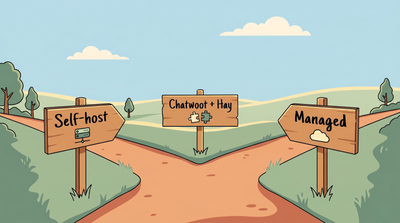
Self-host if someone on the team already owns infrastructure, or a contract or regulator requires the data to stay with you. If you're leaving Zendesk specifically, we've compared the free Zendesk alternatives, hosted and self-hosted, with every free plan checked in October 2026. Zammad if you want the full ticketing system and have the RAM, osTicket for a Windows and IIS shop, FreeScout if you want something small that runs on a cheap VM.
Pay for hosted open source if you like the exit an open licence gives you but don't want the pager. Zammad and Chatwoot both sell hosting built on the code you could take with you later.
Add an AI layer if your queue is full of order lookups, refunds and "where's my parcel" messages. None of these helpdesks automates that work on its own, hosted or self-hosted. Keep the helpdesk you have, put Hay.chat on top, and decide later whether you want to self-host that too.
If you're comparing beyond open source, our free Zendesk alternatives roundup covers the free tiers of closed tools, and the Zendesk pricing breakdown shows what the "Zendesk tax" looks like in numbers.
Want an AI that resolves order and refund questions without running another server? Hay.chat's hosted plans start at €50 a month with 500 resolutions included and no per-agent fees, and self-hosting from the repository has no licence fee. Try the hosted version free for 30 days, no credit card needed. Start your 30-day free trial →
Frequently asked questions
Sources#
All checked 20 October 2026.
- Chatwoot: Cloud pricing, self-hosted plans, self-hosting docs, licence
- Zammad: pricing, software requirements, hardware requirements, repository
- osTicket: installation requirements, SupportSystem pricing, repository
- FreeScout: home page, modules, installation guide, cloud hosting note
- UVdesk: pricing, community-skeleton README
- Helpy: repository and README
- Hay.chat: hay-core repository and licence, AI model settings, Chatwoot integration
Ask AI about this page
About the Author

Damien Mulhall
Co-Founder, Strategy and Content
Damien spent 10+ years managing support operations and project delivery for global brands including Dell, Microsoft, Intel, and Google. He's PMP-certified, and that operations background shapes how Hay.chat is built.
Related posts
-
Free Zendesk Alternatives in 2026: 10 Free Plans Checked, and Which Ones Actually Resolve Tickets

-
Zendesk Pricing 2026: Real Costs Breakdown

-
Helpdesk Automation: Three Strategies, One Most Teams Miss.

 Compare
Hay.chat vs Chatwoot
Compare
Hay.chat vs Chatwoot